
The Jobber Roof Measurement Tool: What It Does, What It Doesn’t, and How to Choose the Right Setup

If you’re pricing roofs through Jobber, the first question is simple: are you getting a true roof measurement tool, or just a workflow that helps you turn measurements into a quote?
That distinction matters. A measurement engine gives you roof area and related data. A quoting system turns that data into a price. Jobber’s own free roof measurement tool says it can instantly measure roof size, factor in your price per square, and produce a usable estimate in seconds. It also says that once you log in, you can turn that estimate into a branded quote with custom line items, markup, images, and deposit collection. For final quotes, Jobber points users to paid aerial/3D or on-site measurements, which suggests Jobber is primarily a quoting and workflow platform rather than a full roofing measurement suite. Jobber’s roof measurement tool is useful, but it is not the same thing as a roofing-first measurement platform.
For roofers, that difference drives the buying decision. If you estimate a few roofs a month, a simple workflow may be enough. If you’re pricing steep, complex, or high-volume jobs, you need to know exactly where the measurement comes from, how it’s verified, and whether it fits your estimating process without creating rework.
What a Jobber Roof Measurement Tool Actually Means
The phrase “Jobber roof measurement tool” gets used loosely, and that causes confusion.
In practice, it can mean one of three things:
- A Jobber-branded calculator or estimate helper.
- A Jobber workflow that uses third-party measurements.
- A roofing measurement tool that connects to Jobber for quoting and follow-up.
Jobber’s free tool is best understood as the first category: a quick way to generate a roof estimate based on the roof size and your pricing structure. That’s valuable, but it is not the same as a dedicated roof measurement platform that specializes in aerial data, segment breakdowns, pitch, and roof reporting.
Here’s the practical takeaway: if your business needs a reliable takeoff, don’t stop at the quote screen. Ask where the roof dimensions came from and whether they were measured by Jobber itself, by a third party, or by you on site.
Does Jobber Offer Roof Measurement Directly or Through Integrations?
The short answer is: Jobber appears to offer a basic roof estimate workflow, but not a dedicated in-house roof measurement engine in the way roofing-specific software does.
Jobber’s own page for its free roof measurement tool describes a calculator-style workflow that can generate an estimate from roof size and pricing inputs. It also points users toward paid aerial/3D or on-site measurements for final quotes. That is a strong sign that Jobber is not positioning itself as the source of record for roof dimensions.
For contractors, that means the roof measurement step usually comes from one of two places:
– a third-party aerial or satellite measurement report
– an on-site measurement taken by your team or estimator
The key question is not whether Jobber can help you quote a roof. It can. The question is whether you want Jobber to be the place where the measurement is created, or the place where the measurement is turned into a customer-facing estimate.
If you need a roofing-first measurement workflow, a dedicated tool is usually the better fit. If you already use Jobber for scheduling, customer communication, and estimates, it can still be the right hub for the rest of the process.
How Roof Measurements Help with Roofing Estimates and Takeoffs
A roof measurement report is not the estimate. It is the input.
Once you have roof area, pitch, and segment data, you can build the rest of the price:
- Materials: shingles, underlayment, starter, ridge cap, flashing, vents, and waste allowance
- Labor: tear-off, installation, steep-slope labor, and cleanup
- Overhead and margin: your business costs and profit target
A simple Jobber-based workflow usually looks like this:
- Get the roof measurement report from an aerial tool, on-site measurement, or another source.
- Review roof area, pitch, and segments to confirm the report matches the actual building.
- Convert measurement data into material quantities using your waste factor and install method.
- Add labor and overhead based on roof complexity, steepness, and job scope.
- Build the estimate in Jobber with line items, markup, images, and deposit terms.
- Send the quote to the customer and keep the job history in the same system.
That is why accuracy matters. The report affects your material order, labor assumptions, and final price. If the roof is larger or steeper than expected, the estimate can drift fast.
A practical example:
- A simple ranch roof may be easy to price from a basic measurement and a standard waste factor.
- A multi-plane roof with valleys, dormers, and steep sections needs more detail. If you ignore pitch or segment changes, your material and labor numbers can drift fast.
If you’re using Jobber to quote, the measurement report should feed your pricing logic, not replace it.
Key Buying Criteria for a Jobber-Compatible Roof Measurement Tool
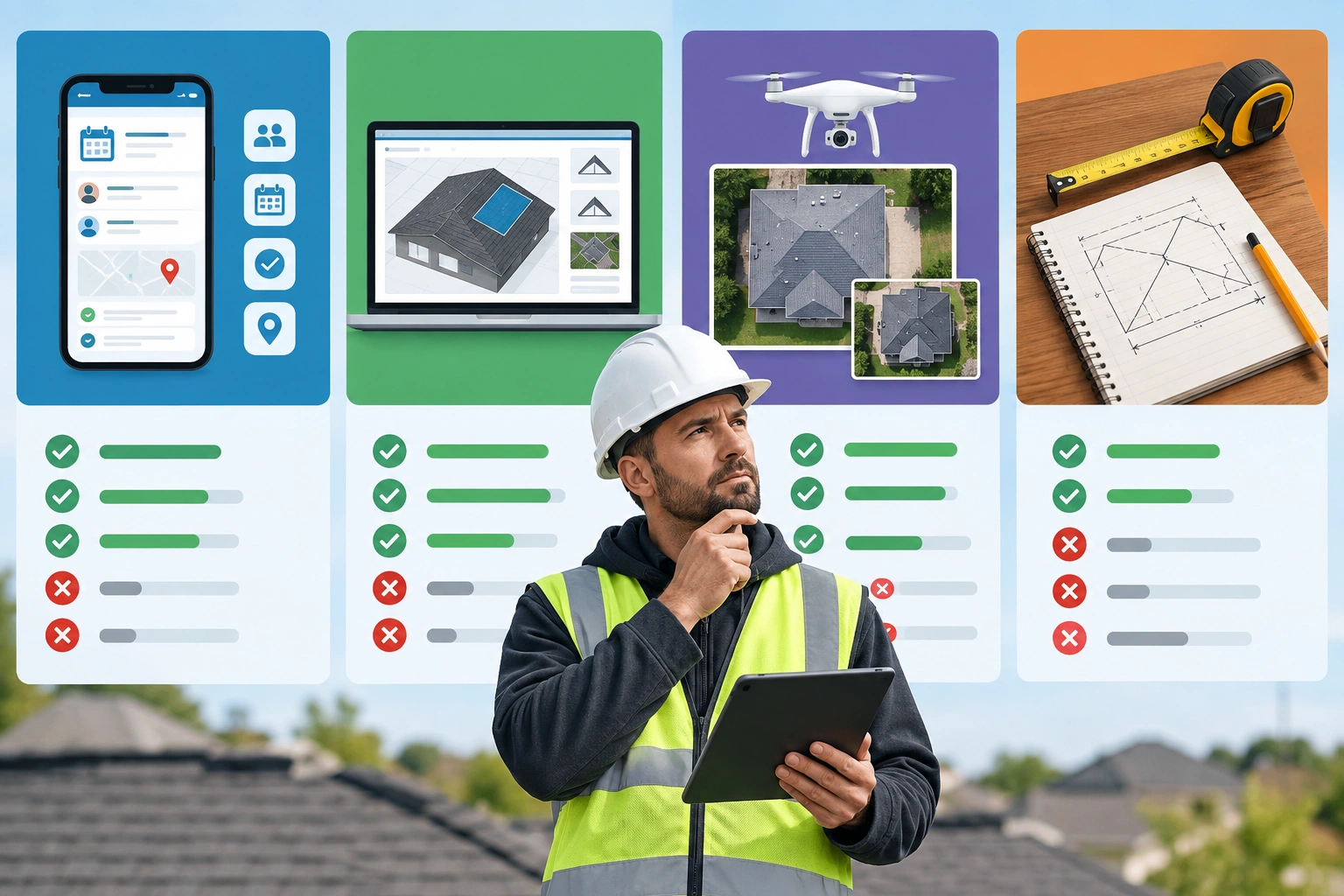
Before you buy anything, compare tools on the parts that affect actual estimating work.
1) Accuracy and measurement source
Ask where the data comes from:
– aerial imagery
– satellite imagery
– drone imagery
– on-site measurement
– a blended method
BuildOps says roof measurement software may use aerial imagery, drones, satellite photos, and other data-gathering techniques to calculate areas, slopes, and other dimensions without physical site visits. That convenience is the point, but the source still matters. Old imagery, tree cover, and roof complexity can all affect the result.
If the tool cannot tell you how recent the imagery is, treat it as a rough starting point.
2) Pitch and slope data
If you work on anything beyond low-slope or simple roofs, pitch matters. It affects:
– shingle quantity
– labor time
– safety setup
– waste and cut loss
A measurement tool that gives you area but hides slope data is limited for roofing estimates.
3) Waste factor support
Waste factor is where many estimates go sideways. A tool that helps you apply a waste allowance consistently is more useful than one that only spits out square footage. You still need to choose the right waste percentage for the roof type, but the tool should make that easy to apply.
4) Reporting quality
The report should be usable in the field and in the office. Look for:
– roof area
– slope or pitch
– segment breakdown
– imagery date
– source reference
– notes or confidence flags
Build-Folio’s free roof measurement tool, for example, says it provides imagery-based estimates of roof area, pitch, and segment data, and advises users to review the source and confirm the subject building before relying on it. That is the right habit.
5) Export and workflow fit
If you already run your business through Jobber, check how easily the measurement data becomes a quote. A good workflow saves you from retyping numbers into multiple systems.
For smaller contractors, the most important features are usually the basics: accurate area, pitch, and easy export into an estimate. Advanced extras like deep analytics, complex proposal automation, or enterprise reporting may be unnecessary unless you estimate roofs constantly.
6) Ease of use
ServiceTitan points out that buying a roof measurement report is one of the easiest ways to get accurate roof measurements, while handheld tools have more of a learning curve. That matters if you have estimators in the office and crews in the field. If the tool is too clunky, your team will avoid it.
Comparison Table: What to Look For Before You Buy
| Option type | Best for | Strengths | Weak spots | Typical fit |
|---|---|---|---|---|
| Jobber-centered workflow | Contractors already using Jobber | Easy quoting, branded estimate flow, customer management | May rely on outside measurement input | Small to mid-size service businesses |
| Roofing-specific platform | Roofing contractors focused on takeoffs and speed | Built-in measurement, roofing workflow, faster proposal path | Less general field-service depth | Roofing-only or roofing-heavy companies |
| Paid aerial/3D report | Accurate takeoffs on recurring jobs | Detailed measurement inputs and reporting | Extra cost per report | Estimators and production teams |
| Manual on-site measurement | Complex roofs or questionable imagery | Direct verification | Slower, more labor, more exposure | Final checks and edge cases |
| DIY-friendly free tool | One-off homeowners | Quick ballpark estimate | Limited reliability for final pricing | Planning, not final ordering |
The right choice is the one that matches how often you measure roofs and how much detail you need.
Accuracy Limits and When to Verify Measurements Manually
Remote measurement is useful, but it is not magic.
You should verify measurements manually when:
– trees block the roofline
– the imagery is old
– the roof has many intersecting planes
– dormers, additions, or porches change the shape
– the job is large enough that a small error becomes expensive
A good rule: if the roof is simple and the imagery is clean, automated measurement can save time. If the roof is complex or the quote is high-dollar, confirm the critical dimensions before you order material.
Build-Folio’s advice to review the source and confirm the subject building is worth repeating. A roof report is only as good as the building it actually measured.
Pricing and Value: What Contractors and Homeowners Should Expect
Roof measurement tools are usually sold in one of three ways:
– free basic tools
– per-report pricing
– subscription software
For contractors, the right way to judge value is by usage. A per-report tool can be a smart buy if you only measure a handful of roofs each month. A subscription makes more sense if you estimate often enough that the cost per job drops quickly and the workflow saves real office time. If a tool helps you produce faster estimates, better close rates, or fewer material mistakes, it can pay for itself even if the upfront cost feels high.
For homeowners, the math is different. If you only need one roof measured for a single project, a free or low-cost tool may be enough to get a planning number. But if you’re about to place a material order or compare contractor bids, a contractor-grade report is usually worth the extra spend.
GAF’s QuickMeasure page notes that support is available and that add-ons like codes, hail, and wind history are available for $10. That’s a good example of how pricing often works in this space: base report, then optional extras.
Best Fit by User Type
Roofing contractors
If you estimate roofs every week, choose the tool that reduces rework and plugs into your quoting process. Jobber can work well as the operational hub, but you may still want a dedicated measurement source for the numbers.
Estimators
You need the most complete report you can get for the money. Focus on pitch, segment detail, imagery date, and exportability. Speed matters, but not at the expense of a bad takeoff.
DIY homeowners
You care about planning, not platform depth. A simple measurement tool can help you budget, compare bids, or sanity-check a contractor’s proposal. Just do not treat it as the final word on material quantities.
Jobber vs Dedicated Roofing Estimating Software
This is the real decision point.
Jobber is broader. Roofing-specific tools are narrower.
Roofing Software Guide says Jobber’s advantage is field-service management, while Roofr is built specifically for roofing workflows. That means Jobber is often the better choice if you need scheduling, dispatch, route tracking, and customer management across many job types. A roofing-specific platform is usually better if your business lives and dies by how fast and accurately you can produce roof estimates.
Use this rule of thumb:
– Choose Jobber-first if you handle a mix of service work, have moderate roof volume, and want one system for the office and field.
– Choose a roofing-specific platform if roofing is your core business, you estimate roofs frequently, or you need the fastest path from measurement report to proposal.
– Choose a hybrid setup if you want Jobber for operations but need a dedicated measurement source for complex roofs or higher-value jobs.
If your biggest bottleneck is office operations, Jobber makes sense.
If your biggest bottleneck is roof takeoffs, a dedicated roofing tool may be worth it.
That is the cleanest way to think about it.
How to Compare Jobber-Compatible Roof Measurement Options Before Buying
Use this checklist:
- Does it measure roofs directly, or does it rely on a third-party report?
- Does the report show area, pitch, and segment data?
- Can you see the imagery date or source?
- Can the output be turned into a branded quote?
- Does it support your pricing model, including price per square, markup, and line items?
- Is it worth the cost for how often you estimate roofs?
- Will your team actually use it, or will they fall back to manual quoting?
If you cannot answer those questions clearly, keep looking.
When a Roof Measurement Tool Is Worth It—and When It Isn’t
Buy the tool when:
– you estimate roofs regularly
– you want faster proposals
– you need more consistent takeoffs
– your current process creates too much rework
Skip the tool when:
– you only measure roofs occasionally
– the job is simple enough to verify by hand
– you are paying for features you will never use
– your current quoting workflow already gives you reliable numbers
That is the honest line. A measurement tool should save time, improve confidence, or both. If it does neither, it is just another subscription.
When to Call a Roofing Pro
If you are a homeowner and the roof is steep, complex, or visibly damaged, call a roofing pro before you rely on any remote measurement report for final pricing. The report can help you budget, but it cannot replace an experienced set of eyes on the roof.
FAQ
Is Jobber a roof measurement tool?
Jobber can generate a roof estimate workflow, but it is better understood as a business platform with a roof measurement helper rather than a roofing-only measurement engine.
Does Jobber measure roofs itself?
Jobber’s own materials suggest that final quotes should use paid aerial/3D or on-site measurements. That points to Jobber relying on outside measurement inputs rather than serving as a dedicated roof measurement engine.
What should a roof measurement report include?
At minimum, look for roof area, pitch or slope, segment data, and the imagery or source date. Those details help you build a more reliable estimate.
Are automated measurements accurate enough for final quotes?
Sometimes, yes. But complex rooflines, tree cover, and outdated imagery are the usual failure points. Verify critical jobs before ordering material or locking in price.
Is Jobber enough for roofing contractors?
It can be, if your main need is scheduling, quoting, and job management. If your main pain point is roof takeoffs, a roofing-specific platform may be a better fit.
What is the best choice for a one-time homeowner project?
A simple measurement tool or a contractor’s report can help you budget. For a final number, especially on a difficult roof, get a roofing pro involved.
What should a small contractor choose?
If you only estimate roofs occasionally, a Jobber-based workflow with a simple measurement source is usually enough. If you estimate often or handle complex roofs, a roofing-specific measurement tool is usually worth the added cost.