Does a Metal Roof Affect WiFi? What Homeowners Should Know

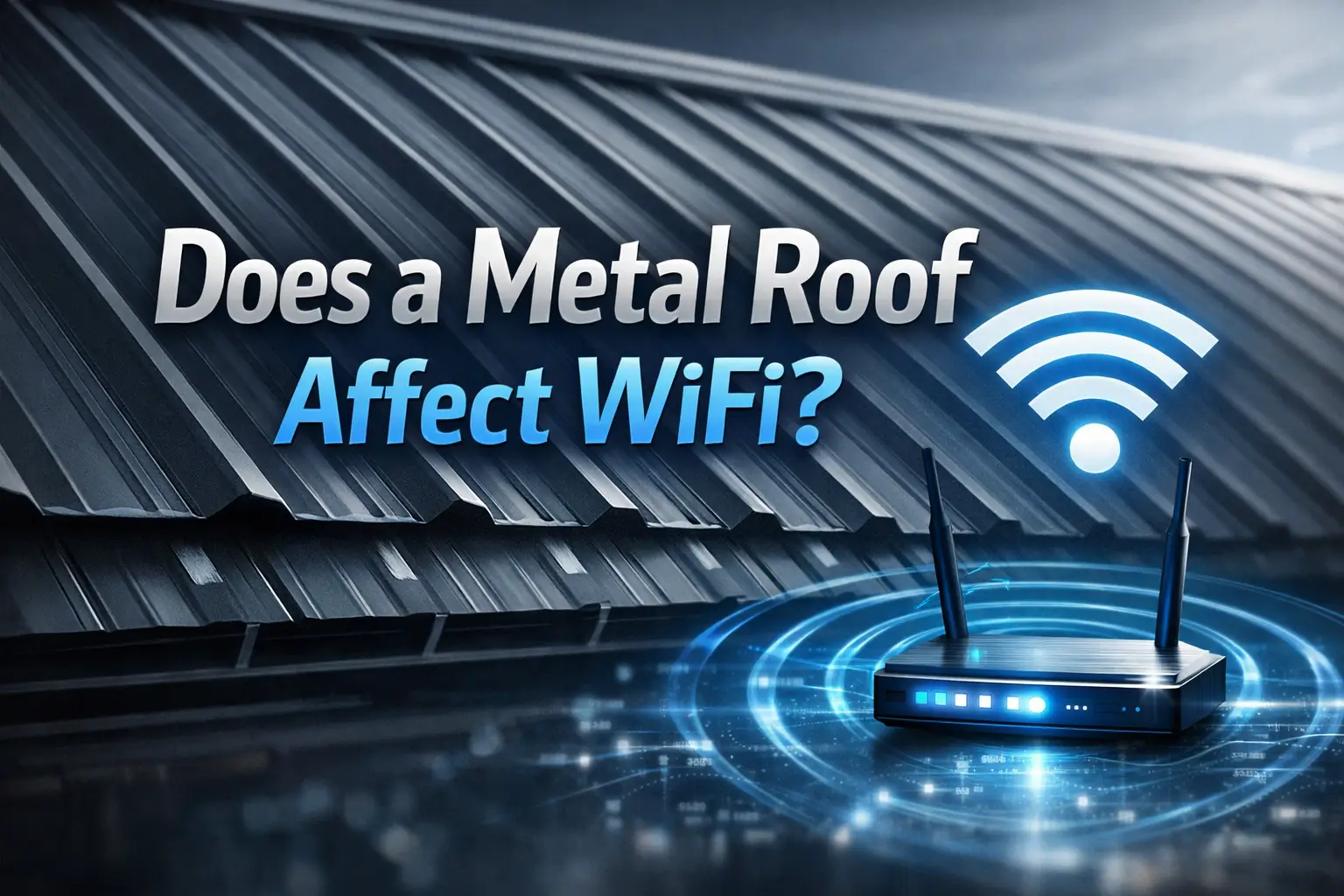
If you are thinking about installing a metal roof, you may wonder whether it will weaken your internet signal. Many homeowners ask this before replacing asphalt shingles with standing seam metal panels, corrugated metal, or metal shingles. The question is simple: does a metal roof affect WiFi?
The honest answer is: sometimes, but usually not in the way homeowners fear. A metal roof can reflect or block some wireless signals, especially if your router is in the attic or if your home already has weak coverage. But in most houses, poor WiFi is caused by router placement, thick walls, old equipment, distance, or interference from other devices—not the roof alone.
This guide explains how metal roofing can affect WiFi, when it becomes a real problem, how to test your signal, and what smart fixes can improve coverage without blaming the roof too quickly.
Quick Answer
Does a metal roof affect WiFi? A metal roof can slightly affect WiFi if the router is in the attic, near the roof deck, or if signals must pass through metal panels. However, most indoor WiFi problems come from router placement, home layout, old equipment, thick walls, or weak internet hardware.
How WiFi Works Inside a Home
WiFi is a short-range wireless signal that sends internet data from your router to phones, laptops, TVs, cameras, and smart home devices. These signals move through the air, but they can weaken when they pass through building materials.
Common materials that can reduce WiFi strength include:
- Metal
- Concrete
- Brick
- Stone
- Tile
- Foil-faced insulation
- Low-E glass windows
- Large appliances
- Thick wood framing
- HVAC ductwork
Metal is important because it can reflect radio signals instead of letting them pass through easily. That is why large metal objects, metal ductwork, and metal-backed insulation can sometimes create weak spots in a home.
The FCC radio frequency safety guidance explains that wireless devices use radiofrequency energy. WiFi is one common household use of radiofrequency technology, and its performance depends heavily on distance, obstacles, interference, and equipment quality.
Does a Metal Roof Affect WiFi Directly?
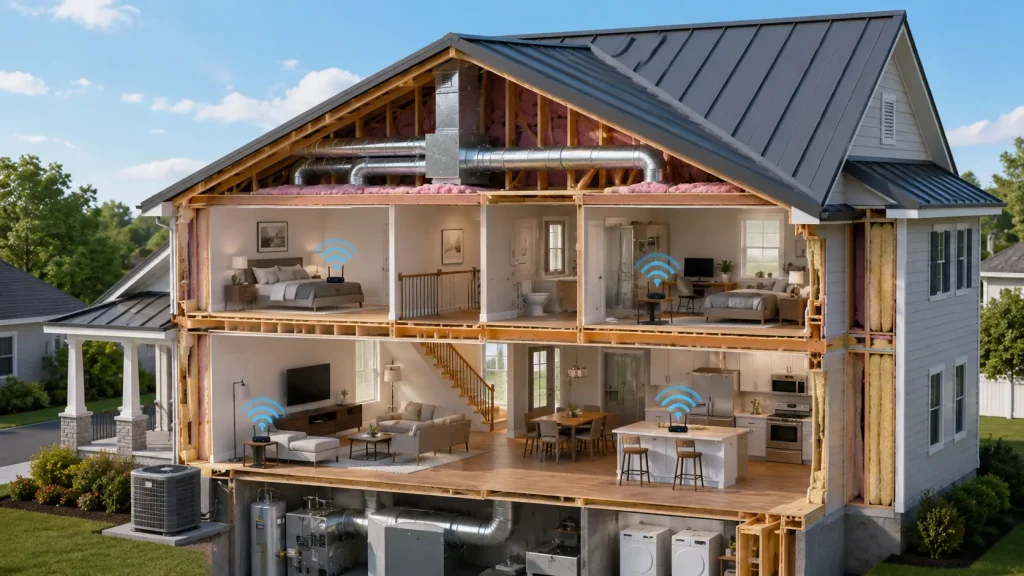
A metal roof can affect WiFi, but the effect is usually limited to certain situations. The roof is above your living space, while most WiFi use happens inside the home. If your router is in the living room, office, hallway, or central part of the house, the signal may not need to pass through the roof at all.
However, a metal roof can become a bigger factor when:
- The router is located in the attic.
- A wireless internet antenna is mounted outside.
- A satellite, cellular, or fixed wireless receiver is near the roof.
- Smart devices are installed near rooflines, garages, or exterior walls.
- Foil radiant barrier insulation is installed under the roof.
- The home has metal siding, metal framing, or heavy ductwork.
- The router is already weak or outdated.
The roof alone is rarely the only reason WiFi is bad. It may add to an existing signal problem, especially in homes with multiple barriers.
Why Metal Can Interfere With Wireless Signals
Metal can reflect, scatter, or block radio signals. Think of it like light hitting a mirror. Some of the signal may bounce away instead of continuing in a straight path.
This matters more when the WiFi signal needs to travel through the metal. For example, if your router is in the attic under a metal roof, the signal may have trouble reaching outdoor cameras, a detached garage, or devices on the other side of the roof structure.
Inside the home, the effect is often smaller because the signal travels through rooms, walls, doors, and floors—not directly through the roof panels.
2.4 GHz vs. 5 GHz WiFi
Most modern routers use 2.4 GHz and 5 GHz bands. Some newer systems also use 6 GHz.
In simple terms:
- 2.4 GHz travels farther and passes through walls better, but it is slower and more crowded.
- 5 GHz is faster but has shorter range and is weaker through obstacles.
- 6 GHz can be very fast, but it has even shorter range and needs newer devices.
Intel’s guide to 2.4 GHz, 5 GHz, and 6 GHz WiFi differences explains how these bands differ in range, speed, and channel availability.
For homeowners, this means a metal roof may be more noticeable if your devices depend on weaker 5 GHz or 6 GHz signals in hard-to-reach areas.
When a Metal Roof Is More Likely to Affect WiFi
A metal roof is more likely to affect WiFi when the signal has to pass through the roof assembly or when other materials create a “shielding” effect.
Router in the Attic
This is one of the most common problems.
An attic may seem like a convenient place to hide internet equipment, but it is usually a poor router location. Attics often have:
- Heat
- Dust
- Insulation
- Ductwork
- Electrical wiring
- Roof decking
- Metal roofing panels
- Radiant barriers
If the router sits close to a metal roof, the signal may be weaker in rooms below or outside areas around the house. Heat can also shorten equipment life.
Best practice: Place the router in a central, open, climate-controlled area of the home.
Foil Radiant Barrier Under the Roof
Some homes have foil-faced radiant barrier insulation in the attic. This material is designed to reflect heat, but it can also reflect wireless signals.
If you install a metal roof and already have foil-backed insulation or radiant barrier sheathing, your home may have more signal resistance than a house with standard asphalt shingles and basic attic insulation.
This does not mean the roof is bad. It simply means your WiFi system may need better placement or added access points.
Exterior Wireless Equipment
Some homes use fixed wireless internet, cellular home internet, satellite internet, or exterior antennas. In those cases, the metal roof may affect signal direction if equipment is placed behind, under, or too close to the roof plane.
For example, a wireless receiver mounted on the wrong side of the home may struggle if the roof blocks the line between the receiver and the tower.
Antenna placement matters. The solution may be moving the receiver, raising it, or using a professional installer.
Signs Your Metal Roof May Be Contributing to WiFi Problems
Not every weak signal means your roof is the problem. Still, these signs may suggest the roof or roof assembly is playing a role:
| Warning Sign | What It May Mean | Best First Step |
|---|---|---|
| WiFi is weak in upstairs rooms only | Signal may be blocked by attic materials | Move router lower and central |
| Outdoor cameras lose connection near rooflines | Signal may be struggling through metal or exterior walls | Add outdoor-rated access point |
| Router is in the attic | Heat, insulation, and roof materials may weaken signal | Relocate router |
| Signal drops after metal roof installation | Roof assembly may have changed signal behavior | Test router location and mesh options |
| Devices work near router but not far away | Range issue, not necessarily roof issue | Add mesh nodes or wired access points |
| 5 GHz signal disappears faster than 2.4 GHz | Higher frequency has shorter range | Use 2.4 GHz for distant devices |
How to Test Whether Your Metal Roof Is Affecting WiFi
Before spending money, test your system. A simple check can help you find the real cause.
Step 1: Check Router Location
Look at where your router is placed. If it is in a closet, basement corner, garage, attic, cabinet, or behind a TV, move it temporarily.
Place it:
- Near the center of the home
- Away from metal objects
- Off the floor
- In an open area
- Away from thick walls and large appliances
Then test your signal again.
Step 2: Compare Signal Strength by Location
Walk around the home with your phone or laptop. Check WiFi strength in:
- The room with the router
- Bedrooms
- Upstairs rooms
- Garage
- Porch or patio
- Outdoor camera locations
- Rooms directly below the metal roof
If signal is strong near the router but weak everywhere else, your system may need better coverage.
Step 3: Test 2.4 GHz and 5 GHz Separately
If your router lets you separate network names, test both bands.
Use 2.4 GHz for:
- Smart plugs
- Outdoor cameras
- Garage devices
- Devices far from the router
Use 5 GHz for:
- Streaming
- Gaming
- Video calls
- Devices near the router
This simple change often fixes weak connections without any roof work.
Step 4: Look for Other Signal Blockers
The metal roof may not be the main issue. Check for:
- Metal ductwork
- Brick fireplace
- Concrete walls
- Large mirrors
- Refrigerators
- Electrical panels
- Fish tanks
- Metal shelving
- Foil insulation
- Low-E windows
Many homes have several signal blockers working together.
Practical Ways to Improve WiFi in a Home With a Metal Roof
The good news is that most WiFi problems can be fixed without changing the roof.
Move the Router
This is the cheapest fix. A router hidden in a corner may create dead zones across the home.
Try placing it:
- In a hallway
- Near the center of the house
- On a shelf
- Away from metal objects
- Outside a cabinet
- Away from the attic
Even moving the router a few feet can make a noticeable difference.
Use a Mesh WiFi System
A mesh WiFi system uses multiple nodes to spread signal through the home. This can help in larger homes, two-story homes, or houses with difficult layouts.
A mesh system is useful when:
- One router cannot cover the whole house.
- Upstairs rooms have weak signal.
- Outdoor devices keep disconnecting.
- The home has thick walls or metal barriers.
- The router cannot be placed centrally.
For best performance, place mesh nodes where they still receive a strong signal from the main router. Do not place a mesh node inside a dead zone and expect it to work well.
Add Wired Access Points
A wired access point is often better than a wireless extender. It connects to the router with Ethernet cable and creates strong WiFi in another part of the home.
This is a good option for:
- Home offices
- Finished basements
- Detached garages
- Outdoor living areas
- Security camera systems
- Large homes with many devices
If you are already doing roof, attic, or renovation work, ask your contractor or low-voltage installer whether Ethernet cable can be safely routed before walls or attic spaces are closed.
Avoid Cheap WiFi Extenders When Possible
Basic plug-in extenders can help in small cases, but they often reduce speed. They repeat a weaker signal instead of creating a strong new access point.
They may be okay for:
- One slow smart device
- A small dead spot
- Temporary use
They are usually not the best choice for:
- Streaming
- Video calls
- Home offices
- Outdoor cameras
- Large homes
Does a Metal Roof Affect Cell Signal Too?
Sometimes homeowners notice weaker cell signal after a metal roof installation. This can happen, especially if the home also has metal siding, foil insulation, low-E windows, or dense walls.
Cell signals come from outside the home, so they may need to pass through the roof or exterior walls. A metal roof can contribute to weaker indoor reception in some cases.
Possible solutions include:
- WiFi calling
- A carrier-approved cell booster
- Better router placement
- Outdoor antenna placement
- Switching internet equipment location
- Checking with your cellular provider
Do not assume the roof is defective. This is usually a signal environment issue, not a roofing failure.
Does a Metal Roof Affect Satellite Internet?
A metal roof should not block satellite internet if the dish has a clear line of sight to the sky. The dish or receiver must be installed where the roof does not block its signal path.
Problems may happen if:
- The dish is mounted too low.
- The roofline blocks part of the sky.
- The dish is placed under an overhang.
- Snow or debris builds up near the dish.
- The mounting location shifts during roof replacement.
If you are replacing your roof and have satellite internet, tell your roofing contractor before work begins. The installer may need to remove and reinstall the dish properly.
Roofing Considerations Before Installing a Metal Roof
WiFi should not be the only factor in your roofing decision. A metal roof can offer strong benefits when properly installed.
Common benefits include:
- Long service life
- Strong wind resistance
- Fire resistance
- Low maintenance
- Good energy performance
- Clean modern appearance
- Better shedding of rain and snow
- Potential improvement in home value
Energy performance depends on color, coating, ventilation, insulation, and installation quality. ENERGY STAR explains that cool roofs reflect sunlight and release heat, which can help keep roof surfaces cooler in warm climates.
Still, a metal roof must be installed correctly. Poor flashing, wrong fasteners, bad underlayment, or poor ventilation can create leaks and comfort problems.
Do not choose a roof based only on internet signal concerns. Choose based on climate, budget, durability, installation quality, home style, and contractor experience.
Cost Factors: WiFi Fixes vs. Roofing Changes
Most homeowners do not need to change their roof to fix WiFi. It is usually cheaper and smarter to improve the home network.
| Option | Typical Purpose | Cost Level | Best For |
|---|---|---|---|
| Move router | Improve central coverage | Low | Small to medium homes |
| Upgrade router | Better speed and range | Low to medium | Old internet equipment |
| Mesh WiFi system | Whole-home coverage | Medium | Larger homes or dead zones |
| Wired access point | Strong reliable coverage | Medium to high | Home offices, garages, outdoor areas |
| Outdoor access point | Yard, camera, patio coverage | Medium | Exterior devices |
| Cell booster | Better cellular reception | Medium to high | Weak indoor cell signal |
| Roof modification | Rarely needed for WiFi | High | Only if tied to equipment mounting issues |
In most cases, spend money on better networking equipment before assuming the metal roof needs changes.
Expert Tip
Expert Tip:
Before blaming your metal roof, move your router to a central indoor location and test both 2.4 GHz and 5 GHz signals. Many “roof-related” WiFi problems are actually caused by poor router placement, attic equipment, old hardware, or weak mesh node placement.
Safety Considerations Around Roofs and Internet Equipment
Some homeowners try to climb onto the roof to adjust antennas, satellite dishes, cameras, or cables. This can be dangerous.
Metal roofs can be slippery, especially when wet, dusty, icy, or steep. Standing seam panels can also be damaged by improper foot traffic. Walking on the wrong part of the roof may dent panels, loosen fasteners, or damage coatings.
OSHA’s residential fall protection guidance highlights the serious fall risks involved in roofing work. Even if you are only adjusting a cable or antenna, a roof fall can cause severe injury.
Important warning: Do not climb onto a metal roof without proper training, equipment, footwear, and fall protection. Call a qualified roofing professional, satellite installer, or low-voltage technician when equipment is mounted on or near the roof.
When to Call a Roofing Professional
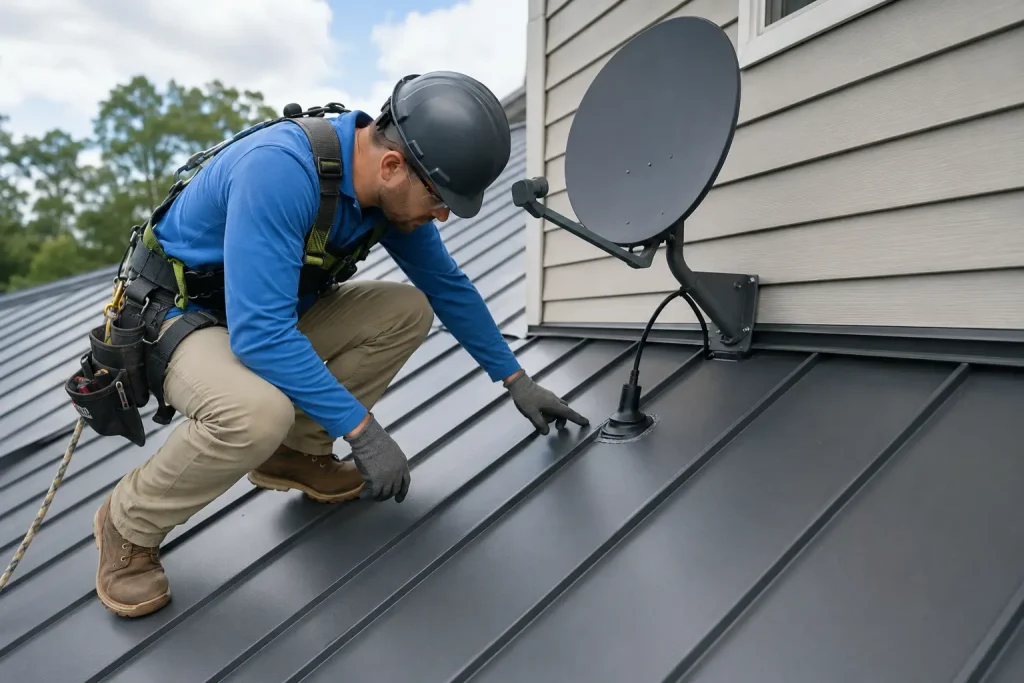
Call a roofing professional if WiFi or signal problems are connected to roof-mounted equipment, roof penetrations, or recent roof work.
You should get help if:
- A satellite dish was removed during roof replacement.
- Internet equipment is mounted through the roof.
- A cable enters through flashing or roof decking.
- There are leaks near antennas, dishes, or mounts.
- You see damaged sealant around roof penetrations.
- A contractor drilled through metal panels incorrectly.
- You need to move roof-mounted equipment safely.
- You are unsure whether roof work affected wiring or ventilation.
A roofer should focus on the roof system, waterproofing, flashing, fasteners, and safe access. For internet performance, you may also need an internet provider, network technician, or satellite installer.
The best approach is teamwork. A roofer protects the roof. A network specialist improves the signal.
Common Mistakes Homeowners Should Avoid
- Putting the router in the attic. Heat, insulation, ductwork, and roofing materials can all reduce performance.
- Blaming the metal roof immediately. Test router placement and equipment age first.
- Using cheap extenders in large homes. A mesh system or wired access point often works better.
- Installing roof-mounted equipment without proper flashing. Poor mounting can cause leaks.
- Walking on a metal roof to fix internet equipment. This can damage panels and create serious fall risk.
- Ignoring 2.4 GHz settings. Many distant smart devices work better on 2.4 GHz than 5 GHz.
- Placing mesh nodes too far apart. A mesh node needs a strong signal to repeat.
- Forgetting about foil insulation. Radiant barriers and foil-faced materials can affect signal more than homeowners expect.
- Not telling the roofer about antennas or dishes. Roof-mounted equipment should be discussed before replacement work begins.
- Assuming all metal roofs perform the same. Roof design, attic materials, home layout, and equipment location all matter.
Should WiFi Concerns Stop You From Choosing a Metal Roof?
For most homeowners, no. WiFi concerns should not stop you from choosing a metal roof if it fits your budget, climate, home style, and long-term goals.
A metal roof may affect WiFi in certain cases, but the issue is usually manageable. Better router placement, mesh WiFi, wired access points, and proper equipment installation can solve most signal problems.
A bigger concern is choosing the right roofing contractor. A poorly installed metal roof can cause leaks, noise, oil canning, fastener issues, or ventilation problems. Those issues are more serious than minor WiFi changes.
Before signing a contract, ask the roofer:
- How will roof penetrations be handled?
- What underlayment will be used?
- How will attic ventilation be protected?
- Will satellite dishes or antennas be removed?
- Who is responsible for reinstalling roof-mounted equipment?
- What workmanship warranty is included?
- Are installers trained for metal roofing systems?
- How will panels be protected from foot traffic damage?
A good contractor will answer clearly and explain the process in plain language.
FAQs
Does a metal roof affect WiFi inside the house?
A metal roof can affect WiFi in some homes, but it usually does not ruin indoor internet. Router location, wall materials, distance, old equipment, and interference are more common causes of weak WiFi.
Will a metal roof block my router signal?
It can block or reflect some signal if the router is in the attic or if the signal must pass through the roof. If the router is inside the living space and placed centrally, the effect is usually much smaller.
Is WiFi worse with a metal roof than asphalt shingles?
Sometimes, yes, but not always. Metal reflects radio signals more than asphalt shingles. However, many homes with metal roofs have strong WiFi because the router and network system are properly placed.
Should I put my router in the attic under a metal roof?
No. An attic is usually a poor router location. Heat, insulation, ductwork, wiring, and the roof assembly can all reduce signal quality. A central indoor location is usually better.
Can a mesh WiFi system fix signal problems under a metal roof?
Yes, a mesh system can help many homes with weak coverage. For best results, place nodes where they still receive a strong signal. For demanding areas, wired access points may work even better.
Does a metal roof affect cell phone reception?
It can contribute to weaker cell reception, especially when combined with metal siding, foil insulation, low-E windows, or thick walls. WiFi calling or a carrier-approved cell booster may help.
Do I need to change my roof to fix WiFi?
Almost never. Most WiFi problems can be solved with better router placement, upgraded equipment, mesh WiFi, wired access points, or professional network setup.
Conclusion
So, does a metal roof affect WiFi? It can, but usually only in specific situations. The biggest risks happen when the router is in the attic, wireless equipment is mounted near the roof, or the home already has several signal-blocking materials.
For most homeowners, a metal roof is not a reason to expect bad internet. The smarter approach is to check router placement, test signal strength, upgrade old equipment, and use mesh WiFi or wired access points when needed.
If your internet equipment is attached to the roof, involve the right professionals before making changes. A roofing contractor can protect the roof system, while a network or satellite technician can improve signal performance. That way, you can enjoy the durability of a metal roof without giving up reliable home WiFi.